
FieldGroove has over 50 reports to help you manage your business. See this link for a list of reports. In addition, each person can have customized dashboard widgets to show key metrics. We recently added a new metric to show sales performance vs sales goals.
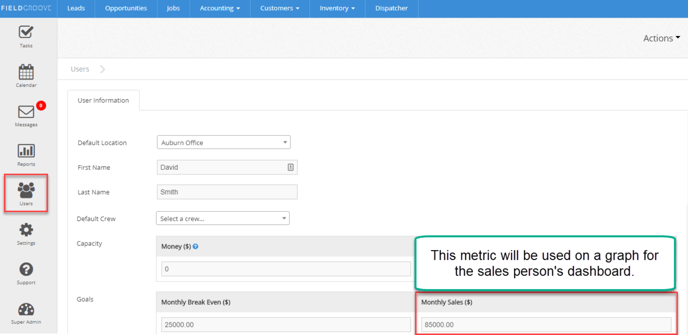
To set these goals, go to "Users" on the left navigation panel and select the user you would like to set the goal for. See the image below for how to navigate.
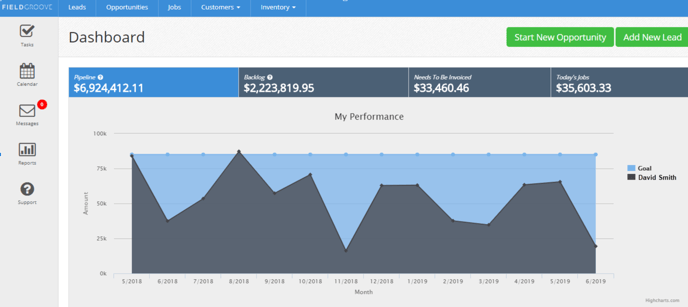
When the sales representative logs in, they will see their monthly actual revenue compared to their sales goal. See the image below for an example.
Please contact us with feedback on this feature. We love to hear from you!