
In this article, you'll learn how to record actuals and perform job costing for a completed project. This process helps keep your inventory accurate and allows you to see the difference between your estimates and actual usage.
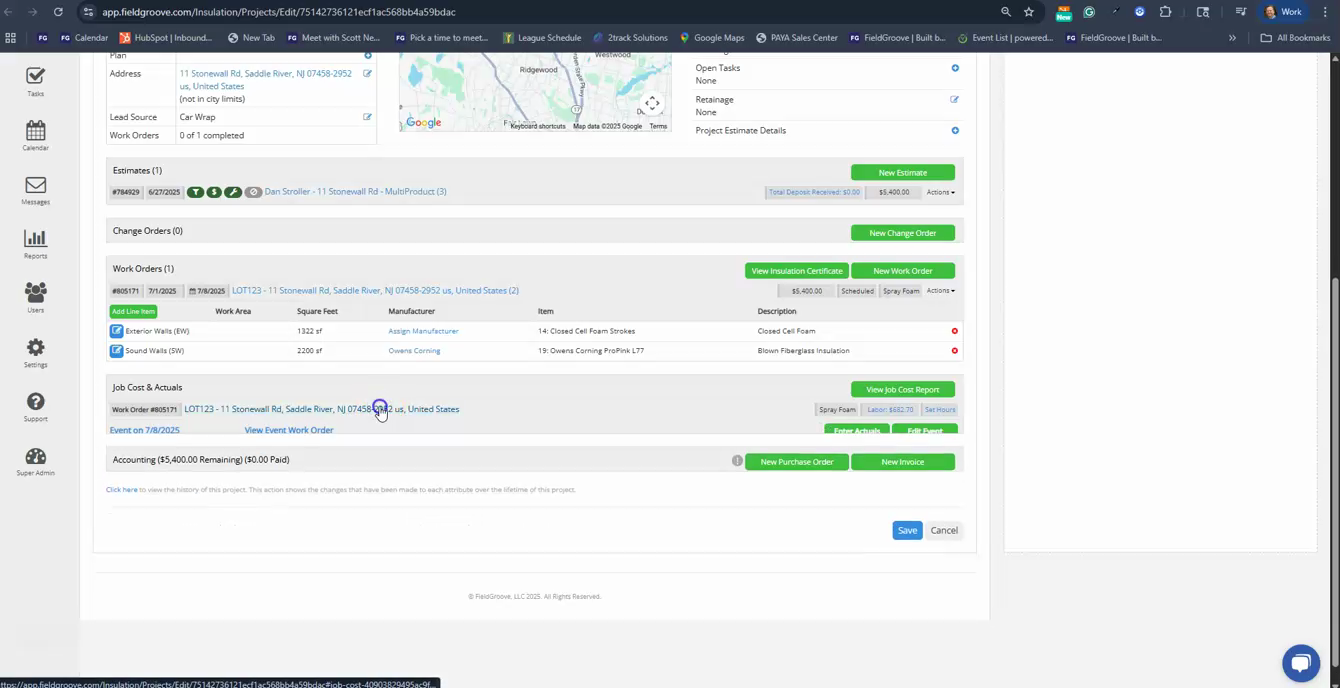
Step 1: Navigate to the completed project. Click on the link to enter actuals. For this example, we'll record the actuals by strokes, which allows the installer to determine usage based on his meter reading.
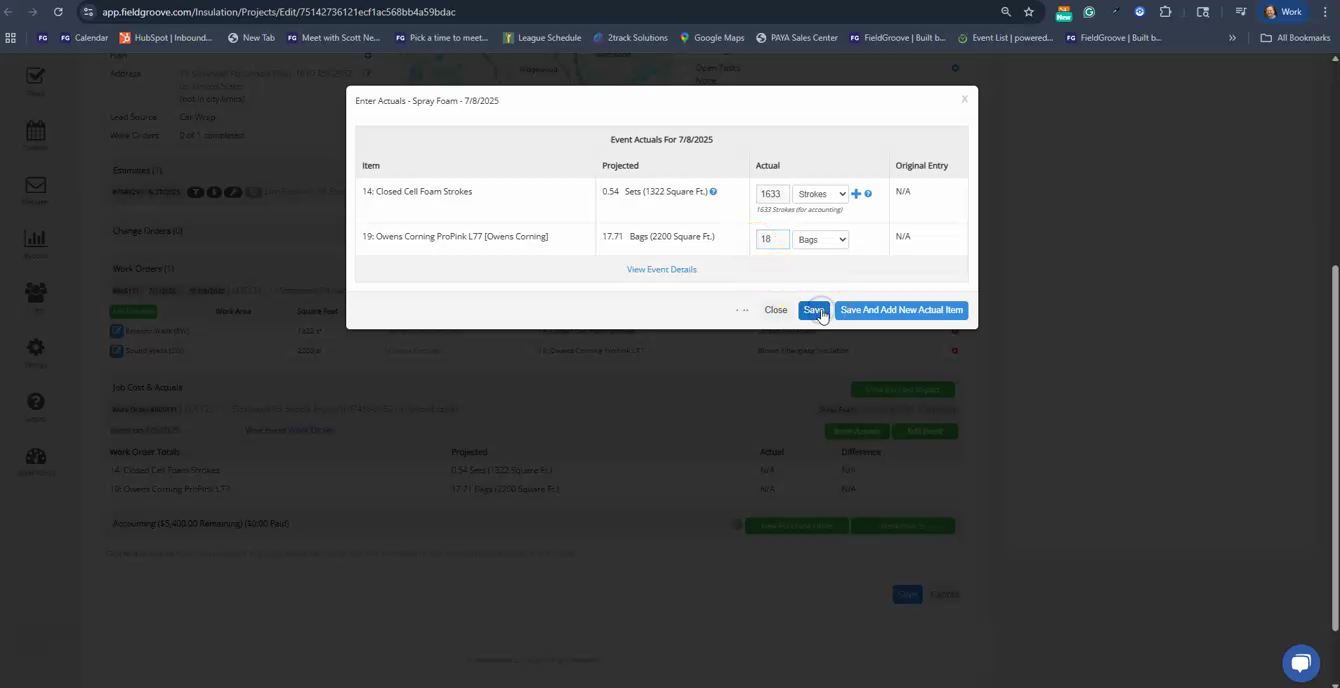
Step 2: Enter the stroke count and the number of bags used. In this case, the stroke count was 1633 and 18 bags were used. After entering these details, hit the save button.
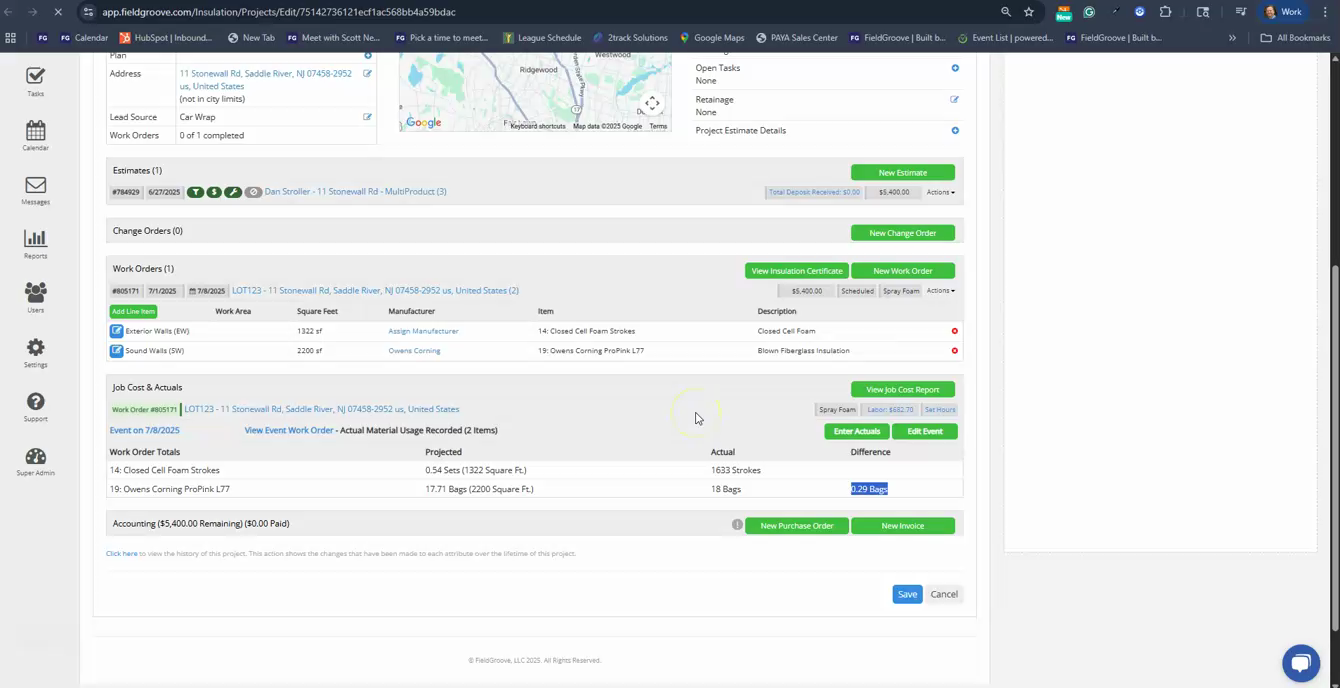
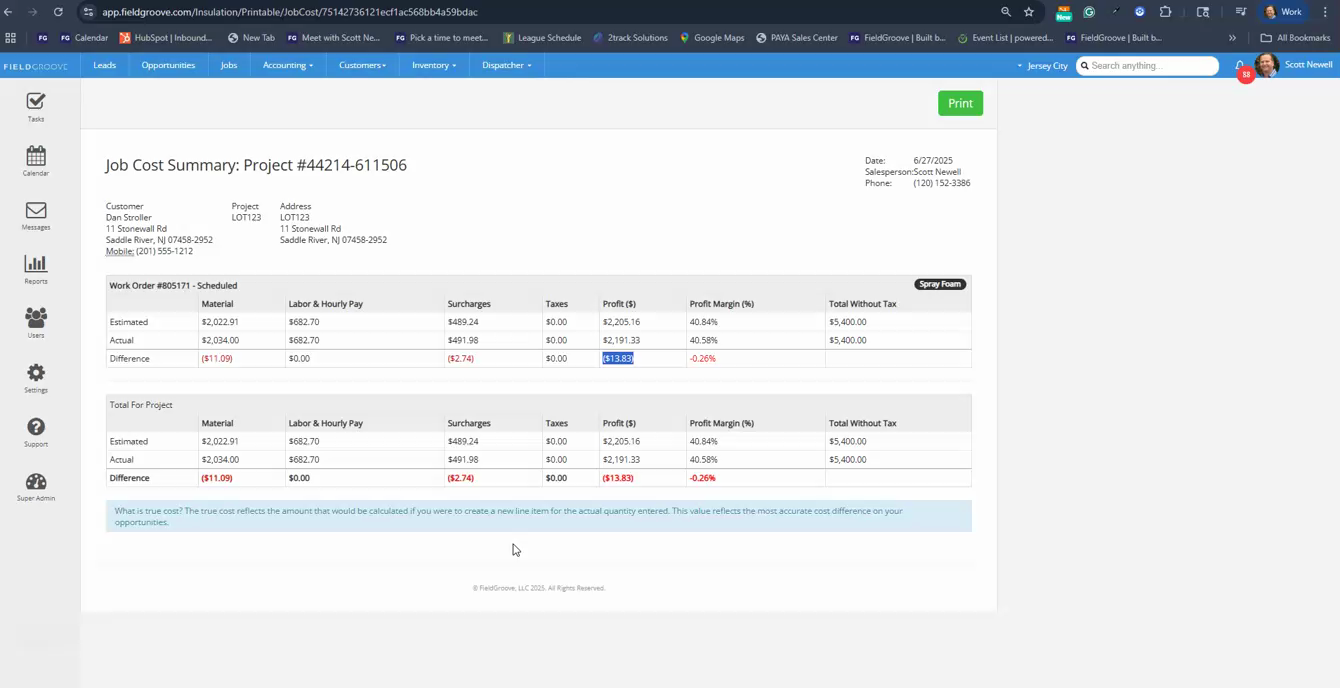
Step 3: Now, you've successfully recorded your actuals. To view the difference between your estimates and actuals, check out your job costing report. This report shows your estimated materials, labor, and surcharges (additional expenses like fuel, supply, and labor).
Step 4: Review the report to understand how your actual usage compares to your estimates. In this example, the actual usage of spray foam was almost spot on with the estimate, resulting in a minor loss of $13 in profit.
And that's it! You've now learned how to record actuals and perform job costing for a project. This process is crucial for maintaining accurate inventory and understanding the profitability of your projects.